Version 25.01
April 2025 · API v29
New Features
- The API offers a new global route which sends orders (remote open/close permanently) to several devices at once.
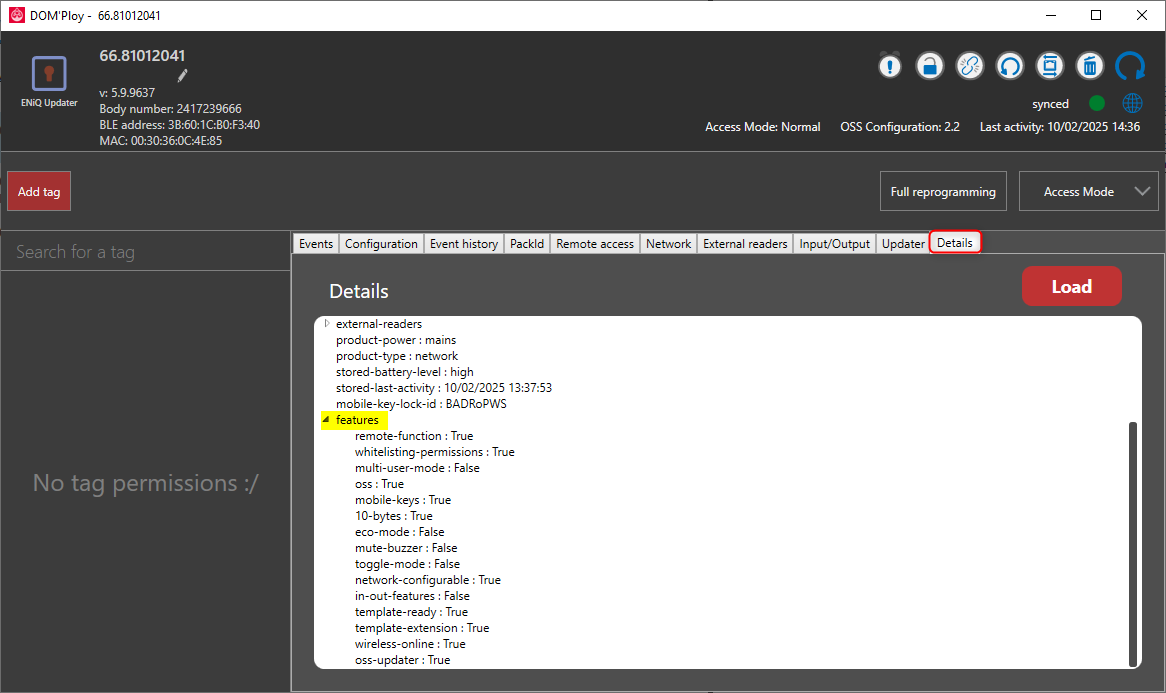
- List all available features per device (note: the device must be coupled to have the full list).
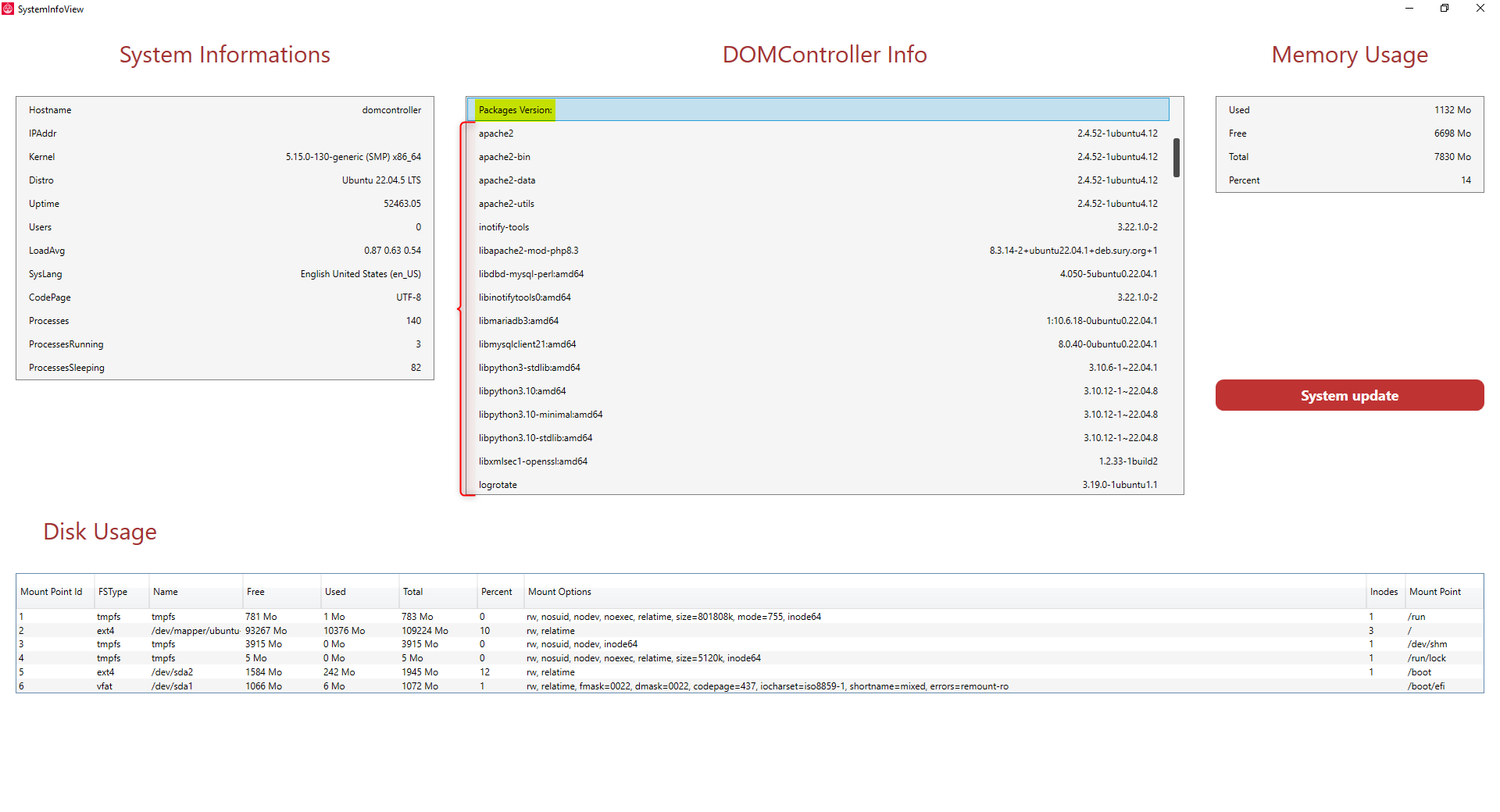
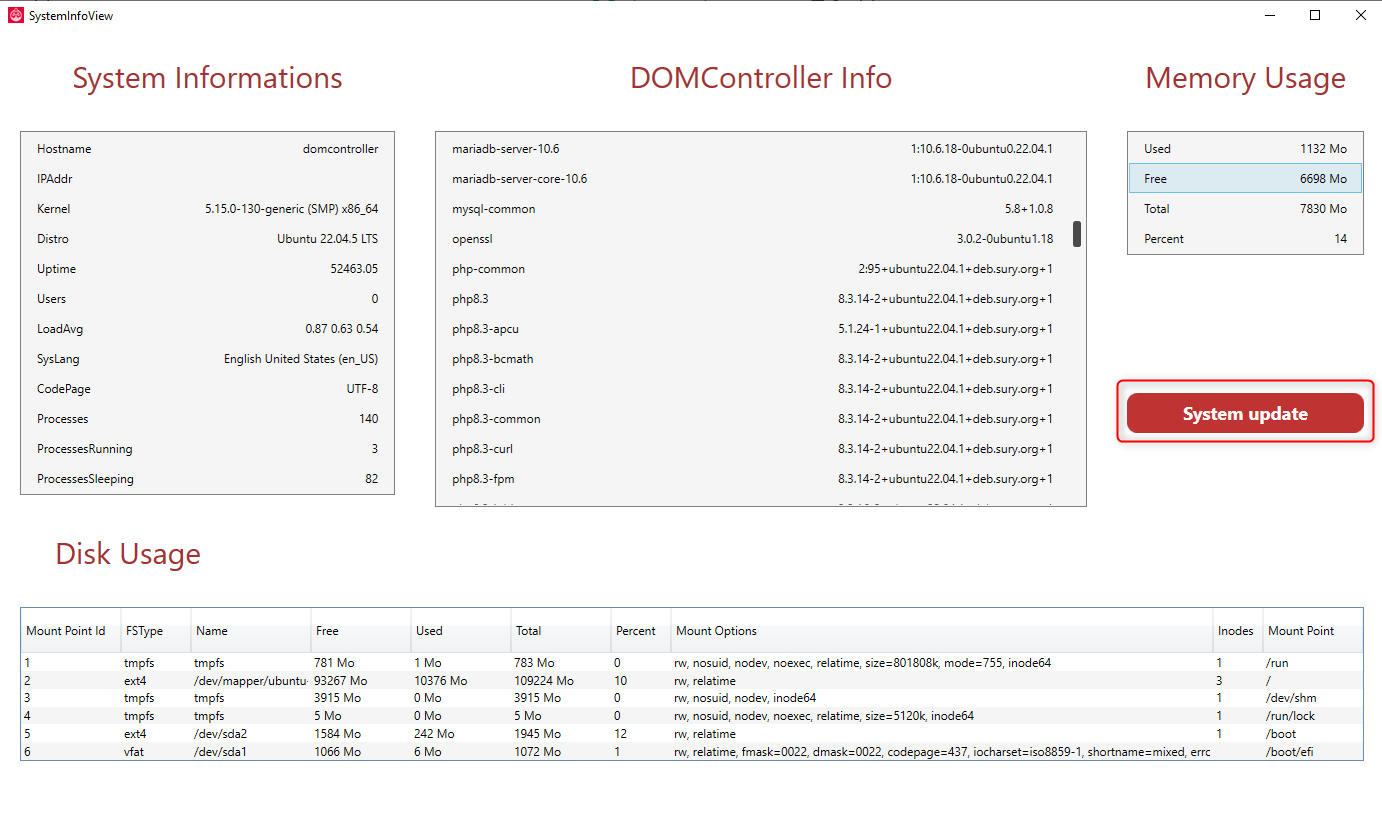
- List the OS version and main package versions through the API.
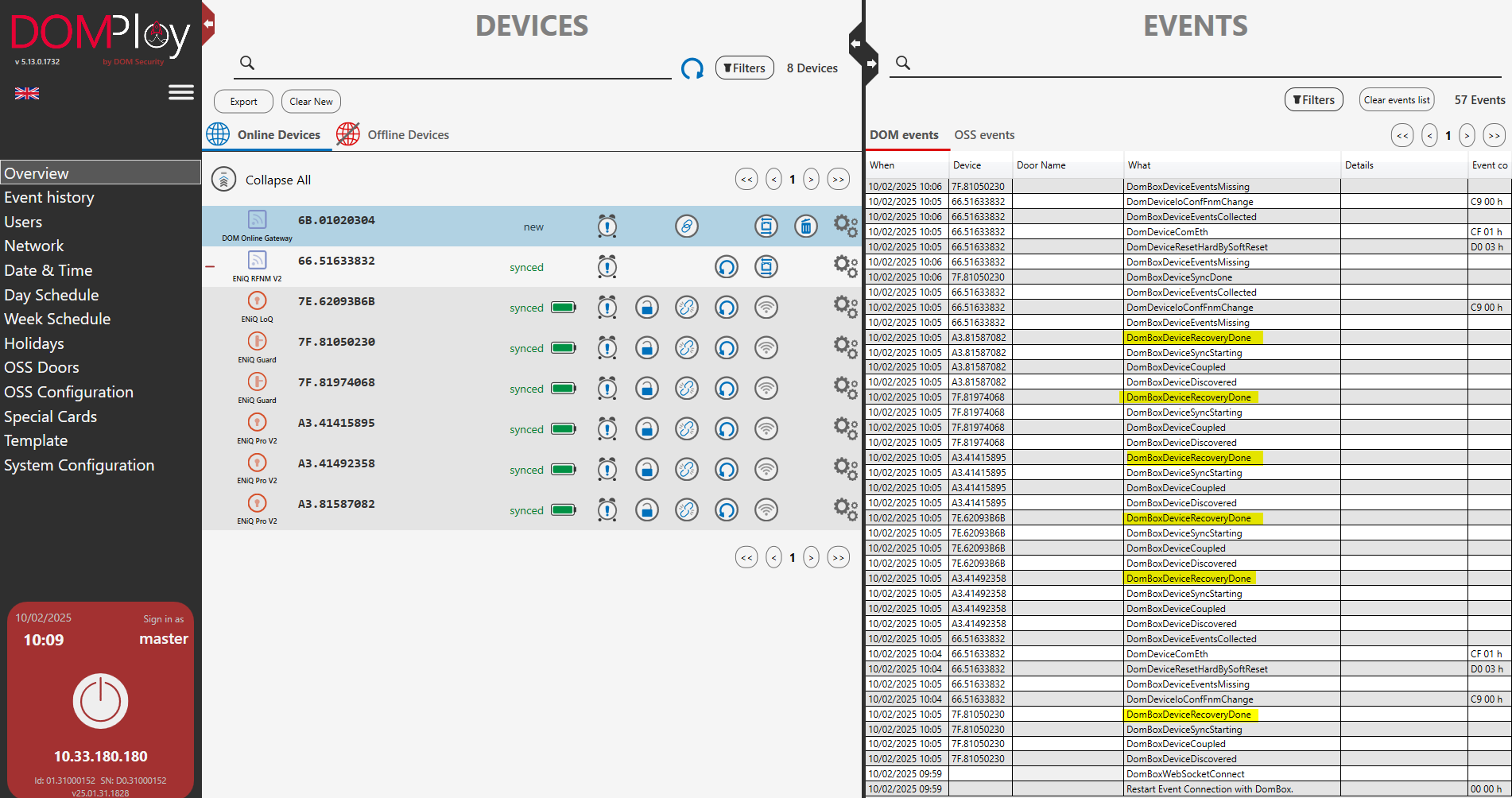
- Added a recovery system that tries to get back previously coupled devices that are lost.
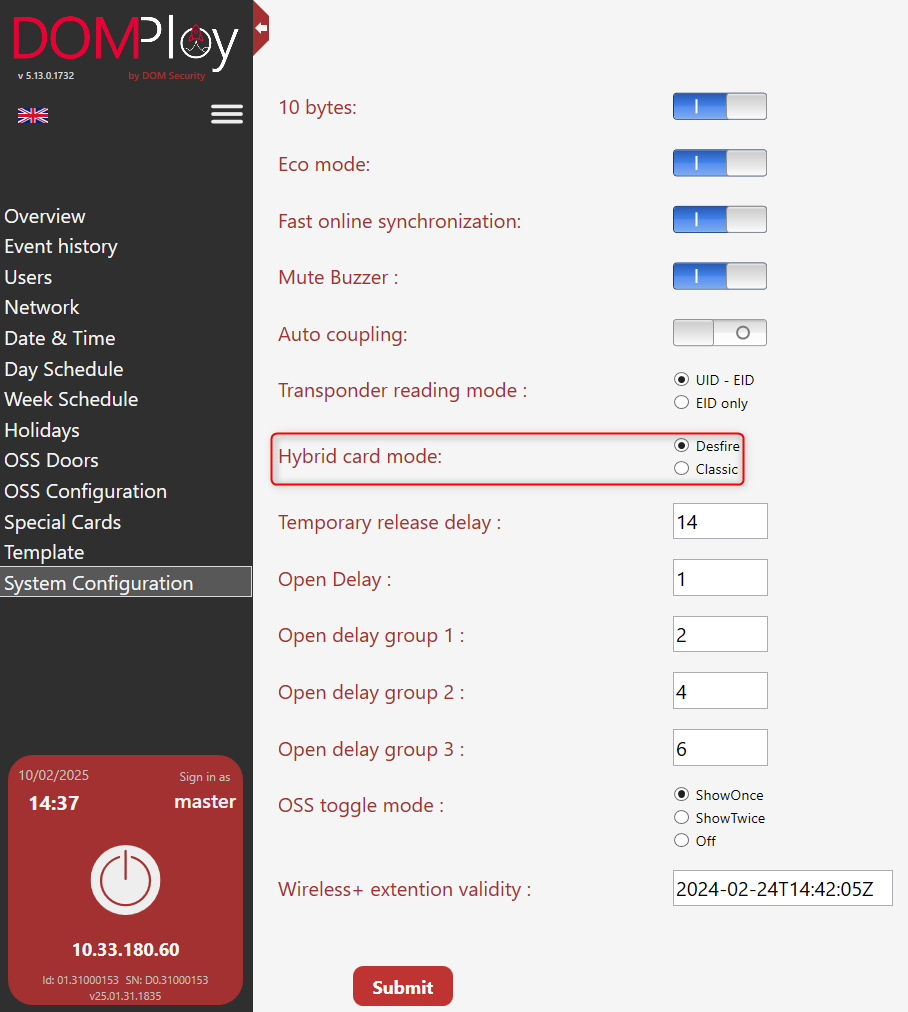
- Supports hybrid cards by selecting which technology must be used (global configuration).
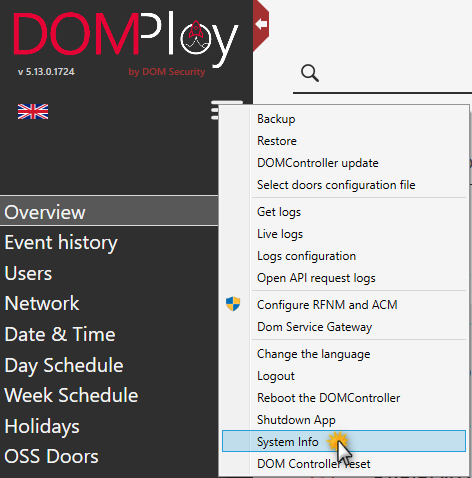
- System upgrade can now be triggered and tracked from the DOM Service app.
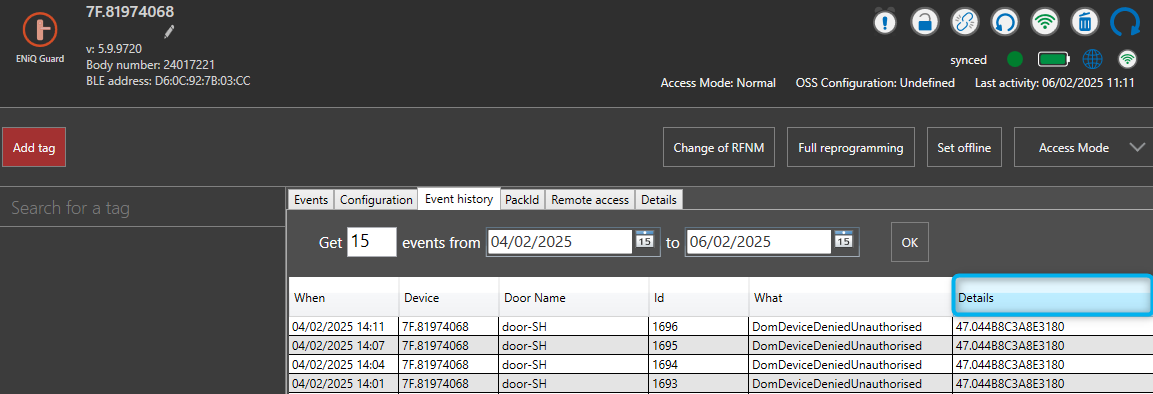
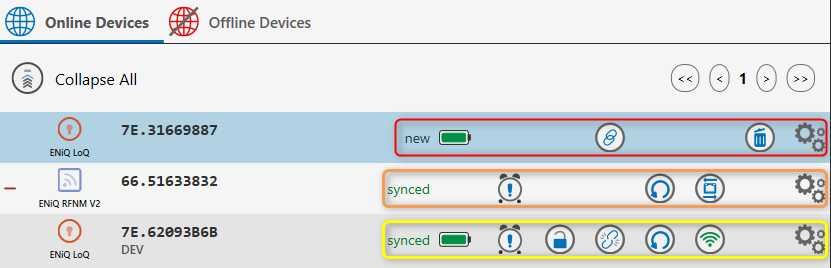
- Event details view, and buttons now reflect their availability depending on device/context state.
Fixes
- Toggle mode for OSS was reset to default when changing the configuration of an OSS door — fixed.
- The
limitparameter in the route/api/all-eventswas not interpreted if no page was given. - Decoupling an RFNM which has children devices now correctly returns a 400 Bad Request. A
forceparameter is added to override this protection. - Passing
nullvalues for summer and winter dates in/api/dombox/dstchangeswill no longer trigger a warning in the response body. - Fixed an exception when calling
/api/dombox/user/{username}with a user that has no permissions. - Apple Wallet is no longer triggered when presenting an iPhone on a device.
- Returns the correct network configuration when using DHCP client on a DOMController Premium.
Known Issues
No known issues for this version.
Download
Files are hosted on the DOM Security SharePoint (sign-in required): DOMConnect v.25.01 folder, which also holds the manuals and changelogs of this release.
| Target | File | Size |
|---|---|---|
| DOMPloy — Windows deployment tool | DOMPloy_Setup_5.13.0.1733.exe | 69 MB |
| DOMController (ARM) | DOMConnect_25.01.00.1894_arm.enc + .sig | 139 MB |
| DOMController Premium (VM / x86) | DOMConnect_25.01.00.1894_x86.enc + .sig | 143 MB |
| BLE dongle driver (Windows) | dfu.inf | 6 KB |
Start with DOMPloy: install it on a Windows machine, then use it to push the .enc package matching your controller. The .enc/.sig pair is not meant to be installed manually.
The BLE dongle driver is required for BLE dongles on this release. It is a set of files (.inf/.cat + coinstallers) that must be installed together, not just the .inf linked above.